
SHARE THIS ARTICLE


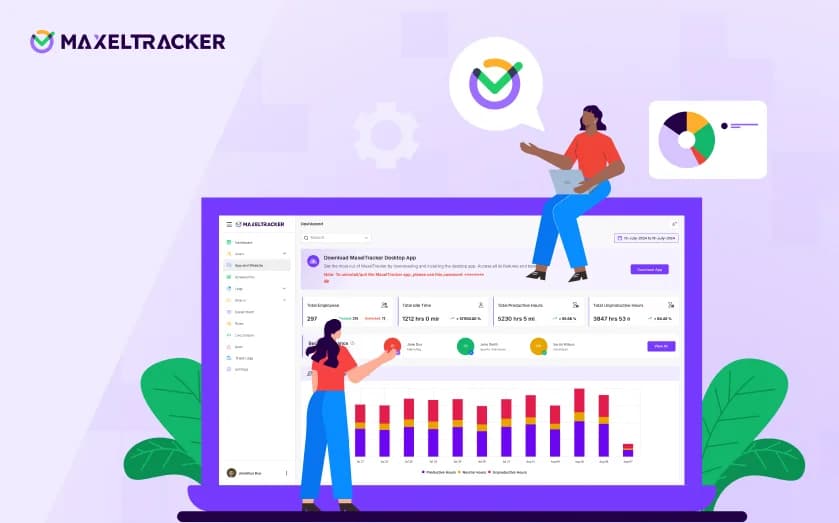


A Labor Management System (LMS) helps businesses optimize workforce productivity, improve labor utilization, and streamline operations. MaxelTracker supports LMS with employee activity and time tracking for better productivity insights.

A labor management system (LMS) is software that helps organizations track employee attendance, plan & schedule shifts, monitor performance & measure productivity, and optimize operations based on the tracked workforce activity data. It connects time tracking & attendance data, work demand, and labor performance standards to help managers make better workforce decisions to optimize productivity.
Labor management plays a crucial role in industries where labor is the major operational cost, such as manufacturing, warehousing, and distribution centers. An efficient workforce with the right balance of supply and demand means profitable business operations.
In this post, we will understand how a labor management system works, how it can benefit your business, and how to design an effective labor management system.
A labor management system (LMS) is software that helps organizations track employee attendance, predict labor requirements, assign and schedule shifts, set performance standards, and measure performance to optimize the work performed by the workforce. It brings together data about employees’ time, work, and performance to help managers make better workforce decisions.
The goal is to connect workforce capacity with operational demand and provide organizations with the information needed to use their labor more effectively to improve workforce productivity, match workforce demand with supply, and enhance operational efficiency.
Labor management is particularly important in environments where workforce capacity has a direct relationship with operational output and costs. Common examples include warehousing, logistics, manufacturing, retail, call centers, field services, and other labor-intensive operations.
A labor management system brings a few key components together to optimize the workforce and its productivity.
Key components of a labor management system include workforce data, attendance and time tracking, labor planning and forecasting, scheduling, task assignment, setting labor standards, and labor analytics & reporting. However, the exact components of a labor management system vary by industry and software provider.
Information about the workforce, including employees, roles, departments, teams, skills, locations, shifts, and availability. It provides the foundation for determining which people are available and qualified to perform particular work.
Time tracking captures information about when employees work and how much time is associated with particular activities. This may include clock-in/out, breaks, overtime, task duration, working hours, and other time-related information via biometrics, mobile apps, web portals, or time tracking systems.
Estimate how much workforce capacity is required to handle expected workloads. It uses historical demand, production requirements, order volumes, customer demand, and other operational factors to determine future labor requirements.
Scheduling matches available workers with operational demand. Depending on the system, schedules can take into account employee availability, skills, shifts, workload, overtime, and minimum staffing requirements.
This component connects workers with the work that needs to be performed. Tasks may include picking an order, processing a customer request, completing a production operation, performing a service job, or handling another defined work activity.
Labor standards define the expected time or performance level for particular tasks under specified conditions. The LMS can compare these standards with actual performance to calculate productivity, efficiency, and performance variances.
The system converts collected data into reports and dashboards that help managers understand workforce utilization, productivity, workload, labor costs, overtime, performance trends, and operational exceptions. Based on the collected data, the labor management system helps with labor optimization. Organizations can use labor data to adjust staffing, reallocate workers, modify schedules, investigate bottlenecks, improve processes, review labor standards, and make better workforce decisions.
“Read more: What is Employee Monitoring Software and How Does It Work?
A labor management system helps improve payroll accuracy, accurate workforce planning, better labor utilization, improved productivity, and increased operational visibility.
An LMS reduces timesheet or billing errors by automatically logging clock-in/clock-out times, schedule changes, absences, and task-level data from WMS/ERP/CRM or RF scans. This reduces inaccurate time entries to improve payroll accuracy.
An LMS helps organizations align staffing to actual demand by using historical workload and labor data. This reduces the risk of overstaffing or understaffing operations, resulting in accurate workforce planning. In addition to that, better allocation of labor, reduced unnecessary overtime, and improved productivity result in lower labor costs.
An LMS helps organizations understand how available labor capacity is being used. Managers can identify idle capacity, excessive overtime, understaffed operations, and inefficient allocation of workers. This understanding of labor utilization helps identify & investigate productivity trends and areas where operations need to be optimized.
An LMS uses centralized labor data to understand what is happening across teams, locations, shifts, or operations. This operational visibility helps in faster identification of bottlenecks by highlighting where work is taking longer than expected, where backlogs are growing, or where labor capacity does not match demand.
The biggest benefit of an LMS is not simply collecting labor data. It is turning that data into information that managers can use to make better decisions about staffing, scheduling, processes, and resource allocation. Instead of relying on spreadsheets, manual reports, or assumptions, managers make decisions based on the data.
“Read more: What are the most common time wasters in the workplace?
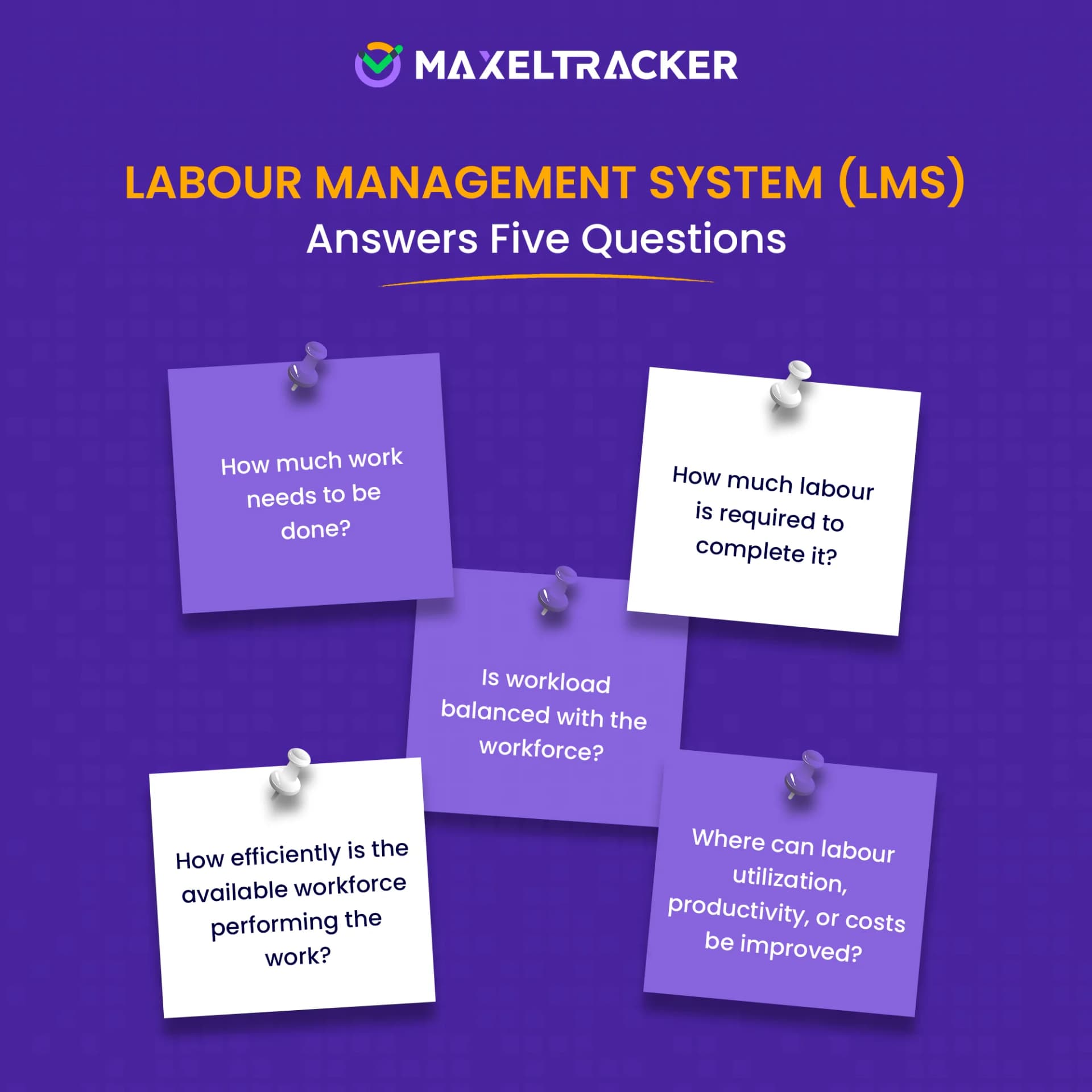
A labor management system generally follows a continuous cycle of planning, assigning, tracking, analyzing, and optimizing labor.
Planning: The process typically begins with understanding the amount and type of work that needs to be completed. Based on expected workload, historical data, operational requirements, and other factors, the organization estimates how much labor it needs.
Assigning: The system can then help managers determine who should work, when they should work, and what work they should perform. Depending on the environment, assignments may consider employee availability, skills, location, shift requirements, workload, and established labor rules.
Tracking: Once work begins, the system collects relevant labor and operational data. This may include working hours, task start and completion times, units processed, work orders completed, attendance, overtime, or other activity data. The exact information depends on the industry and the type of work being managed.
Analyzing: The system can then compare actual performance against expected performance. A variance does not necessarily mean that an employee is performing poorly. The task may have been more complex than usual, equipment may have malfunctioned, materials may have been unavailable, or the established standard may need to be reviewed. The resulting information is presented through dashboards, reports, alerts, and analytics.
Optimizing: Managers can use these insights to identify understaffing, excess capacity, bottlenecks, excessive overtime, inefficient processes, or opportunities to improve workforce allocation.
“Read more: How to Improve Efficiency of Employees
To design a labor management system for the workforce, document the workforce information, map the work, forecast the demand, establish standards, and match the workload to the workforce to create a schedule. The exact design will vary by industry. However, the following steps provide a practical framework for designing an LMS.
Start by identifying the workforce that the system needs to manage. Consider documenting the following information related to the workforce:
Employees and contractors
Roles and job functions
Departments and teams
Skills and certifications
Work locations
Shifts and working hours
Employee availability
Reporting relationships
This information establishes who is available to perform the work and what they are qualified to do.
Identify the work that the workforce actually needs to perform. Break operational work into measurable activities such as tasks, jobs, work orders, production operations, service requests, or customer interactions for accurate estimation.
For each activity, determine:
What needs to be done?
Who performs it?
How is it assigned?
How long does it normally take?
What output represents completion?
What quality requirements apply?
What dependencies or constraints affect completion?
Once the work has been mapped, determine how much labor is required to complete it.
Demand may be based on factors such as:
Orders or production volume
Customer demand
Workload forecasts
Service requests
Project requirements
Seasonal variations
Historical workload patterns
This helps answer questions such as: how much work is expected, how many labor hours are required, and do we have enough qualified workers to handle it.
Where work can be standardized, establish realistic expectations for how much labor a task should require. The purpose of a labor standard is not simply to set an employee target. It provides a baseline for comparing expected and actual labor performance.
Standards should reflect actual operating conditions. They may need to account for factors such as task complexity, equipment, travel, materials, workload, and process constraints.
Determine how work will be allocated to the available workforce.
The system may consider:
Employee availability
Skills and certifications
Workload
Shift schedules
Location
Labor rules
Operational priorities
Required staffing levels
The objective is to assign the right labor capacity to the right work at the right time.
Define the data the LMS needs to collect to measure labor effectively.
Depending on the use case, this may include:
Scheduled hours
Actual working hours
Task start and completion times
Work completed
Output volume
Labor hours
Overtime
Attendance
Quality results
Rework
Work backlog
Location
Not every organization needs to capture every type of data. The data model should be driven by the decisions the organization wants the LMS to support.
Use the collected data to establish meaningful labor KPIs.
For example:
Labor productivity
Output per labor hour
Labor utilization
Actual versus standard time
Labor cost per unit
Overtime
Work completion rate
Quality or rework rate
Staffing variance
The metrics should measure outcomes that matter to the operation rather than simply maximizing employee activity.
For example, an employee completing tasks quickly is not necessarily more productive if the work has to be corrected later.
Productivity should therefore be considered alongside quality, cost, service levels, and other operational outcomes.
The LMS should present labor information in a form that managers can act on.
A manager may need to see:
Current workforce availability
Workload versus labor capacity
Productivity trends
Overtime
Staffing gaps
Productivity exceptions
Work backlogs
Labor costs
Performance against standards
Alerts can also highlight situations requiring attention, such as significant productivity deviations, excessive overtime, understaffing, or growing backlogs. Get AI-powered reports and summary of user activity
An LMS rarely operates in isolation. It may need to exchange data with systems such as:
HRMS or HCM
Workforce management systems
Time and attendance systems
ERP
WMS
MES
Payroll
Production systems
Field-service platforms
Cameras, screenshots, or other surveillance technologies are not fundamental requirements for an LMS. In most labor-management use cases, the core measurements come from workforce, task, time, output, quality, and operational data.
“Read more: How to Track Time Spent on Tasks at Work: Guide for Managers?
Implementing an LMS should be treated as an operational transformation project rather than simply a software installation.
Start by identifying what the organization wants to improve. For example, an organization may want to reduce unnecessary overtime, improve labor utilization, increase output per labor hour, improve workforce scheduling, or identify bottlenecks in operational processes.
Setting clear objectives helps determine LMS capabilities and metrics required. Once the objectives are clear, configure the selected LMS to reflect how the organization manages its workforce and operational activities.
Determine where the LMS will obtain its information. Depending on the organization, relevant sources may include HRMS/HCM, time and attendance systems, ERP, WMS, MES, payroll systems, production systems, or other operational applications.
Configure employees, roles, skills, work types, tasks, shifts, standards, workflows, permissions, dashboards, and reporting according to the organization's operating model.
Integrate the LMS with other systems where necessary so that workforce, operational, and labor data can move between systems without excessive manual entry.
Rather than deploying the system across the entire organization immediately, test it with a department, location, process, or workforce group. Gather feedback from employees, supervisors, and other stakeholders. The pilot run can reveal problems with data quality, standards, workflows, integrations, and user adoption.
An LMS is more effective when the people using it understand its purpose and how to work with it. Employees and managers should understand how the system works, what data it collects, how metrics are calculated, and how the information will be used.
Train employees on the activities and data they need to record, the workflows they must follow, and how the system affects their day-to-day responsibilities. Train managers and supervisors to interpret reports, monitor relevant KPIs, identify operational issues, and use the insights to make informed decisions.
Review the LMS and evaluate whether the system is helping the organization improve labor utilization, manage overtime, control labor costs, meet operational targets, or identify bottlenecks. Review both the results and the underlying data to determine whether observed changes reflect genuine improvements.
If the expected benefits are not being achieved, investigate the reasons. The issue may involve poor data quality, inadequate training, unrealistic labor standards, inefficient workflows, or insufficient adoption.
Use these findings to refine system settings, improve processes, update training, and adjust labor standards where appropriate. Regular reviews help ensure that the LMS continues to support changing workforce needs and operational objectives.
“Read more: What is time management and how does it work?
Despite their benefits, LMS implementations can create challenges if the system is poorly designed. Common challenges include poor data quality, unrealistic labor standards, overemphasis on individual productivity, integration complexity, and employee resistance.
An LMS is only as reliable as the data it receives. Incorrect employee information, incomplete task records, inaccurate time data, or inconsistent operational data can produce misleading results.
If standards are set too aggressively or fail to account for real operating conditions, employees may consistently appear inefficient even when they are performing reasonably well.
Measuring individual activity too narrowly can encourage employees to optimize for the metric rather than the actual business outcome. Productivity metrics should therefore be interpreted in context.
An LMS may need to exchange information with HR, payroll, ERP, WMS, MES, scheduling, or other systems. Integrating these systems can require significant technical and operational effort.
In addition to that, an LMS can require software, integrations, configuration, training, process redesign, and ongoing administration.
Organizations should evaluate the expected operational value against the total cost of implementation.
Some work is difficult to reduce to simple time or output measures. Creative, analytical, managerial, and knowledge-intensive work often requires quality and business outcomes to be considered alongside activity or time.
Employees may be uncomfortable with systems that measure their work, particularly when they do not understand why data is being collected or how it will be used.
Organizations should clearly communicate the purpose, scope, and governance of labor data.
Labor-management systems can involve employee-related data. Organizations should establish appropriate access controls, data-retention policies, transparency requirements, and privacy practices based on their jurisdiction and use case.
“Read more: What is time budgeting and how to budget your time effectively?
Labor management systems (LMS), Workforce Management (WFM) systems, and Human Resource Management Systems (HRMS) all deal with employees and workforce data, but they serve different primary purposes. There is some overlap between them, and software providers may combine multiple capabilities into a single platform.
Workforce Management focuses primarily on ensuring that an organization has the right number of employees available at the right time. It commonly includes workforce forecasting, scheduling, time and attendance, absence management, and workforce planning.
Labor Management goes further into the execution and measurement of work. It can connect employees and working time with specific tasks, production activities, orders, or other measurable outputs. It can then compare actual performance with expected labor standards to evaluate productivity, efficiency, utilization, and labor costs.
An HRMS is primarily designed to manage employee information and HR processes throughout the employee lifecycle. It may handle employee records, recruitment, compensation, benefits, leave, performance management, and other human-resource functions.
A labor management system is more focused on the operational use of labor. It connects workforce information with the work employees perform and helps organizations understand labor requirements, utilization, productivity, efficiency, and costs.
A time tracking software or attendance system primarily records when employees work. It may capture clock-in and clock-out times, breaks, absences, overtime, and attendance records.
A labor management system uses time as one of several inputs to understand how labor is being used.
A traditional LMS primarily uses work, time, task, output, and operational data to understand how labor is being utilized. It does not need cameras, screenshots, or continuous visual monitoring to measure labor performance.
However, video or other monitoring technologies may be integrated for specific safety, security, or process-monitoring purposes, but they are not fundamental requirements of labor management.
If you need insights into your workforce activity, MaxelTracker is an advanced employee monitoring software that helps you track time across work activities and convert the data into productivity insights.
Choosing an LMS should begin with the organization's operational requirements rather than the number of features offered by a vendor.
Determine whether the main requirement is labor planning, task-level productivity, workforce scheduling, warehouse labor management, manufacturing efficiency, field-service operations, or another use case.
Look for a system designed to support the workflows and measurements relevant to your industry. A warehouse operation and a professional-services organization may require very different capabilities.
Depending on your requirements, evaluate:
Workforce planning
Scheduling
Task and work management
Time and labor tracking
Labor standards
Productivity measurement
Labor-cost analysis
Reporting and analytics
Forecasting
Alerts
Mobile capabilities
Role-based access
Check whether the LMS can integrate with the systems you already use, such as HRMS/HCM, ERP, WMS, MES, payroll, time and attendance, or other operational platforms.
The system should make it easy to move from raw labor data to actionable information. Look for configurable dashboards, drill-down capabilities, historical trends, exception reporting, and appropriate KPI calculations.
The system should be able to support additional employees, locations, workflows, business units, or operational complexity as the organization grows.
Managers and employees need to be able to use the system without excessive training or administrative effort. A technically powerful system that users avoid or struggle to operate may deliver little practical value.
Evaluate authentication, access controls, data protection, audit capabilities, data retention, and other security and governance requirements relevant to the organization.
Whenever possible, conduct a demonstration, trial, or proof of concept using a representative workflow and real-world requirements. The best LMS is not necessarily the one with the most features. It is the one that can measure the right work, integrate with the organization's existing systems, produce reliable insights, and support better labor decisions.
A labor management system uses work, time, task, output, and operational data to understand how labor is being utilized. It helps improve workforce productivity at a high level. However, when organizations want to improve productivity at the individual level, these systems do not provide enough granular details.
MaxelTracker is an employee productivity tracking platform that helps organizations track time, monitor employee digital activity, and convert the tracked data into productivity insights. Combined with a labor management system, MaxelTracker helps organizations improve the accuracy of the workforce activity data and make accurate decisions to improve operational efficiency and workforce productivity.


Built to Perform
Track team output in one dashboard.
4.8/5 Rating


