MaxelTracker

MaxelTracker
Know exactly where your team's time goes. MaxelTracker gives managers clear, real-time visibility into team productivity — no spreadsheets, no guesswork. Built for businesses of every size.

Written by
Olive Yew
See what your team is working on — as it happens.
We’re excited to introduce one of the most requested features: Live Screen Monitoring is now available in MaxelTracker, the best free employee monitoring software.
This new feature lets super admins and managers securely stream employee screens in real time, right from the dashboard.
Whether your team is remote, hybrid, or on-site, you can now monitor employee activity as it unfolds — without disrupting their workflow or invading their privacy.
Live Stream Monitoring lets authorized managers view an employee’s desktop in real time, as long as the employee is online and active. It works silently in the background without slowing down the employee’s device or interfering with their work.
With this feature, you get instant visibility into active tasks, applications in use, and ongoing workflows — all from a single dashboard.
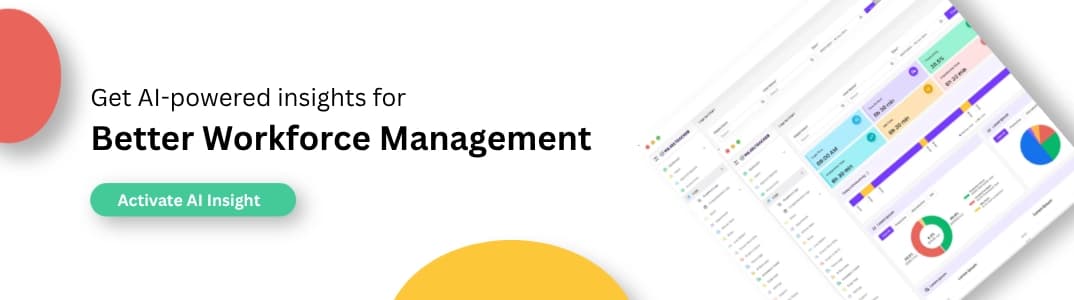
View employee screens in real time without interrupting their workflow. You get an instant, high-resolution stream of their current activity, so you can monitor ongoing tasks, check for engagement, and ensure focus — all from your MaxelTracker dashboard.
See exactly which applications and websites are open while an employee is working. This real-time visibility helps you spot distractions, detect misuse of work time, and reinforce the use of approved tools across your team.
Catch unproductive behaviour as it happens. By watching live streams, you can notice idle screens, frequent switching between tabs, or unrelated activities, allowing you to step in at the right time with coaching or course correction.
Control who can access the live screen feature and when. Admins can enable or restrict access by department, role, or individual user, ensuring responsible use of the feature while maintaining employee trust and data security.
Live screen streaming happens silently in the background, without alerting the employee or slowing down their system. This helps maintain productivity while giving managers the transparency they need — minus the friction.
Live streaming is now available to all MaxelTracker users with the appropriate role permissions. If your team includes remote workers, distributed departments, or high-security roles, this feature will give you the visibility and control you need — in the most seamless way possible.
👉 Sign up now at MaxelTracker.com and start transforming your team’s productivity today! 🚀
👉 Explore our pricing plans and features to find the perfect solution for your team’s productivity needs! 🚀
Related Blogs
Time management: Definition, benefits, process, techniques, and challenges
Time management is the process of planning, organizing, and controlling time in order to improve efficiency, effectiveness, and productivity.
What is time budgeting and how to budget your time effectively?
Time budgeting is the practice of intentionally allocating time to activities and tasks one needs to do in a day, week, month, or over a set period. It treats time like money.
What Are The 4 P’s in Time Management?
Struggling with time management? You’re not alone. Many of us face challenges when it comes to staying focused, prioritizing tasks, and working efficiently.